
iPhone・iPad・Android の漫画ビューア

自炊の漫画を、
フォルダから本棚に。

「ファイル」アプリでつないだ NAS やクラウドのフォルダを選ぶだけで、作品と巻をまとめた本棚になります。日本の漫画は右綴じの見開きで。開くときだけ読むので、全部を端末に写しません。

App Store・Google Play で配信予定

買い切りで全部の機能が使えます。アプリ内課金・サブスクリプション・広告はありません。
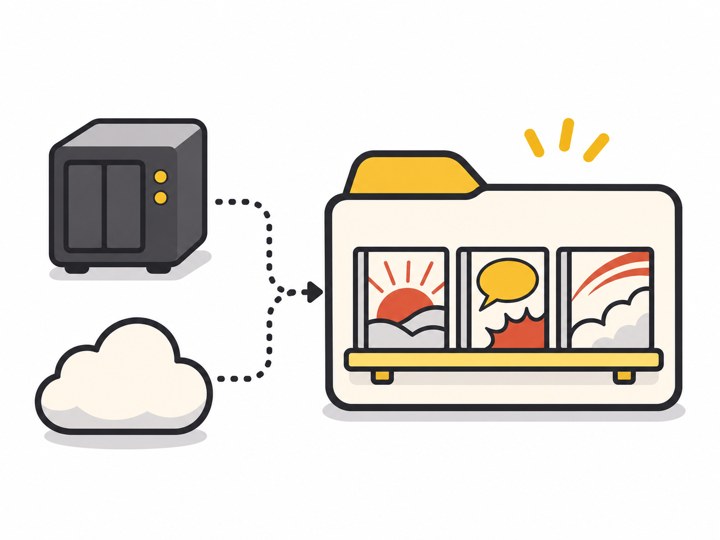
NAS とクラウドからフォルダを通って本棚に並ぶイラスト

こんな困りごとのために

取りこみが面倒

転送ソフトは要りません。「ファイル」アプリでつないだ NAS(SMB の共有)・iCloud Drive・クラウドのフォルダを、そのまま本棚にできます。

本棚がばらばら

ファイル名から作品と巻をまとめ、巻の順に並べます。合わないときは名前を直したり、巻を移したりできます。

見開きがずれる

右綴じが既定で、表紙は単独、元から見開きの画像は1枚で出します。ずれたら[1ページずらす]。

大きな zip で落ちる

見るページの前後だけを読み、縮めた絵を覚えます。大きな zip でも全部を広げません。

どこまで読んだか分からない

次に開くと読みかけのページから。巻の最後で次の巻へ進めます。

広告がじゃま

とじしろに広告はありません。買い切りで、あとから支払いを求めることもありません。

できること

形式zip・cbz・rar・cbr・7z・cb7・pdf・画像(jpg・png・webp・avif・heic)のフォルダ
本棚フォルダを選ぶだけ(NAS・iCloud Drive・クラウド)・作品と巻の自動まとめ・名前の直し・巻の移動
読む右綴じ/左綴じ(作品ごと)・見開き(横向き・iPad・iPhone Duo)・1ページずらす・拡大
続きから読みかけのページ・次の巻へ・iCloud で iPhone と iPad をそろえる
データアカウントなし・通信なし(iCloud を除く)・本のファイルは端末に写さない

とじしろは、あなたが持っているファイルを読むアプリです。漫画は入っていません。使い方・プライバシーポリシー・利用規約もご覧ください。

Comic reader for iPhone, iPad and Android

Your comic files,
from a folder to a bookshelf.

Pick a NAS or cloud folder connected in the Files app and it becomes a bookshelf with series and volumes grouped. Japanese manga reads right to left in two-page spreads. Files are read only when you open them, never copied in full.

Coming to the App Store and Google Play

One purchase unlocks everything. No in-app purchases, subscriptions or ads.

Illustration of a NAS and cloud feeding a folder that becomes a bookshelf

What it solves

Importing is a chore

No transfer software. Use a NAS (SMB share), iCloud Drive or cloud folder connected in the Files app as your bookshelf.

A messy shelf

Series and volumes are grouped from file names and sorted by volume. Rename or move volumes when needed.

Spreads are off

Right-to-left by default; the cover stands alone and wide images show as one. Shift by one page if needed.

Crashes on big zips

Only nearby pages are read and thumbnails are cached; large zips are never fully extracted.

Lost your place

Opens where you stopped and moves on to the next volume.

Ads in the way

Tojishiro has no ads and never asks for more money after purchase.

Features

Formatszip, cbz, rar, cbr, 7z, cb7, pdf, and folders of images (jpg, png, webp, avif, heic)
BookshelfJust pick a folder (NAS, iCloud Drive, cloud), automatic series and volume grouping, rename, move volumes
ReadingRight-to-left or left-to-right per series, spreads in landscape and on iPad and iPhone Duo, shift by one page, zoom
ContinueYour page, next volume, iCloud sync between iPhone and iPad
DataNo account, no network (except iCloud), comic files are not copied to the device

Tojishiro reads files you own; it contains no comics. See also Help, Privacy Policy and Terms of Use.